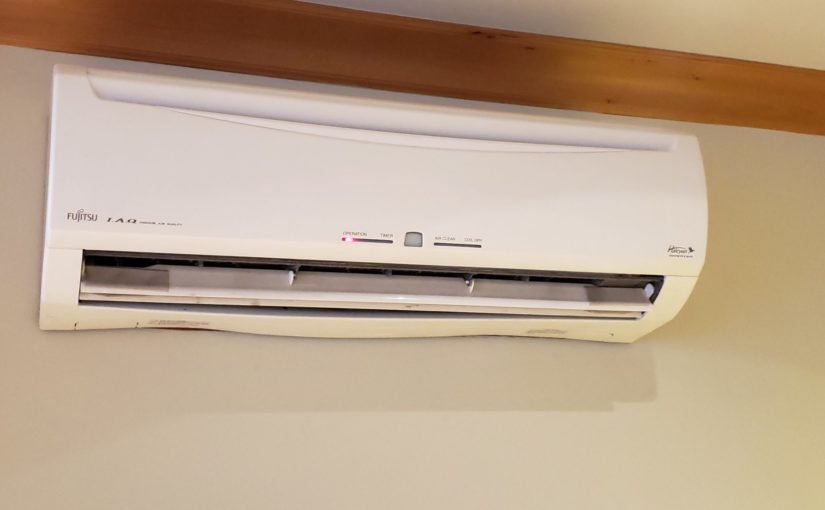
I have some of those mini-split Fujitsu heat pumps in my house that have infrared (IR) remote controls. This post explains how I set up my smart house to be able to automate the heat and air conditioning with a raspberry pi and Home Assistant.
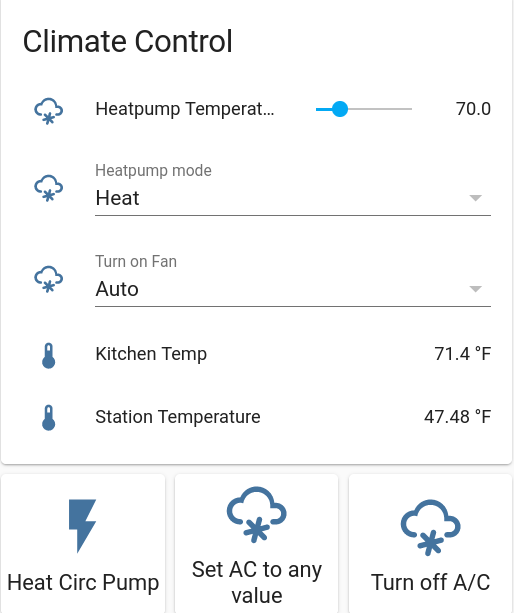
I have some of those mini-split Fujitsu heat pumps in my house that have infrared (IR) remote controls. This post explains how I set up my smart house to be able to automate the heat and air conditioning with a raspberry pi and Home Assistant.
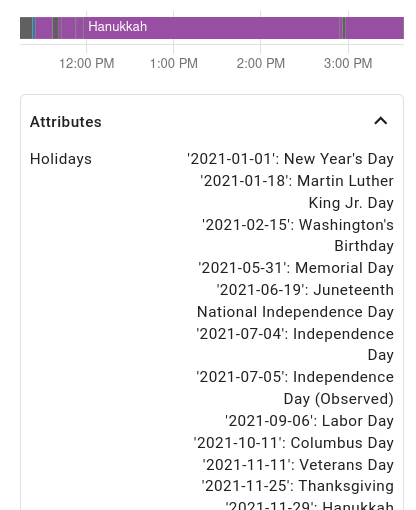
I rigged up some holiday lights that switch between a number of color palettes based on what holiday is coming up next. I used a $25 light strip, a $5 WiFi microcontroller (ESP8266), and Home Assistant to make it all happen.
Using a “NeoPixel”-like addressable RGB light strip is pretty well-covered online these days. I got this waterproof one. I plugged in one of my ESP8266’s and loaded it up with some demo code from the FastLED library. I bought an outdoor waterproof enclosure for the 5V power supply and ran outdoor wires in a small trench over to my fence, where I then used one of these outdoor wire coupler things to both protect the connection and store the ESP8266 itself.
Continue reading Smart holiday lights that change colors for the next upcoming holidayMy mom has used Windows computers since the early 1990s. During a visit in October, 2021, I set her up with a Linux desktop computer as her daily driver, and so far she loves it.

My mom is by no means a computer power user, but she does do most of the basics that people do. Email, zoom, chat, read the news, check the weather, print and scan stuff, watch Youtube tutorials, go on Facebook, etc.
I put all the major programs she uses on the bottom bar using the Dash to Panel extension, including:
Continue reading My mom runs LinuxMy Golden Retriever dog had some weird bumps on her nose after a walk and then her face swelled up like crazy. This is her journey.

I sent this to my sister, who is a veterinarian. She said to give the dog some Benadryl and see if it gets better. It didn’t get better. Soon her eyes were swelling up too, and then her whole face!
Continue reading The time my dog’s face swelled up like crazyI plugged my Geiger counter’s audio cable into my oscilloscope just for kicks the other day and saw ~9V pulses coming out when it occurred to me that I could easily read those into an Arduino or Raspberry Pi or ESP8266 microcontroller and respond to them. As a demo, I made a hardware random number generator (HRNG) out of a esp8266.
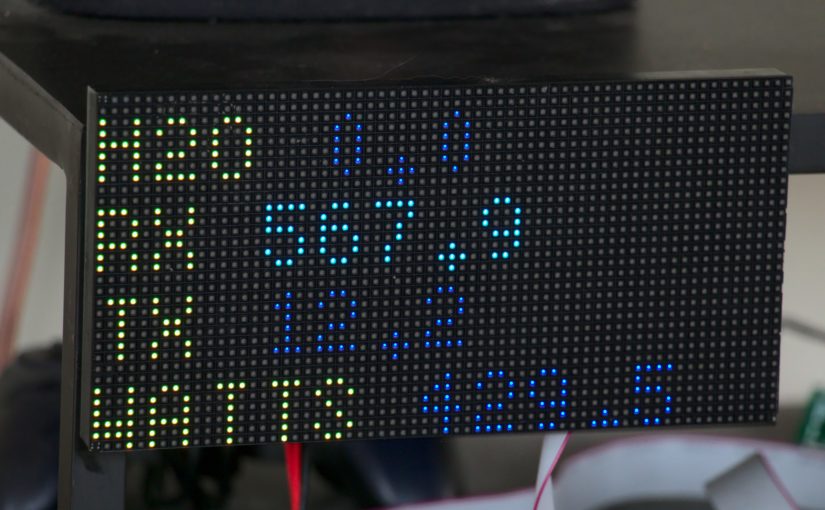
I like the concept of measuring flows and so have sensors on my water main and my electric mains. Naturally, I wanted to add a reading of how much bandwidth I’m using and get it displayed in my living room. I already have the following in place:
As it turns out, this is enough to get live internet usage numbers showing with just a few simple scripts.
Continue reading Live internet bandwidth monitor for living roomA year ago I built 2 DIY weather/air quality sensor packs to monitor the ambient conditions inside and outside, including carbon dioxide (CO₂) levels. Meanwhile, I got a COVID-puppy who sleeps in a covered dog crate. I got to wondering what kind of CO₂ levels that crate got up to at night. So I measured it.
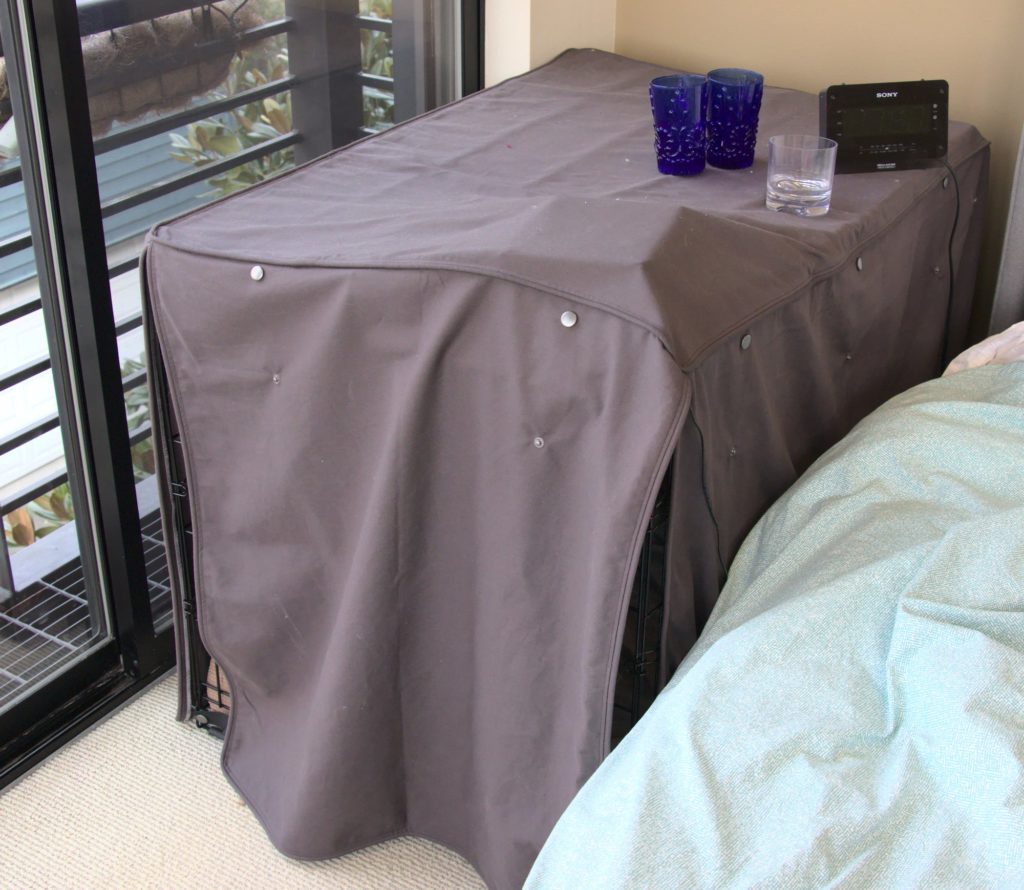
I just slipped the sensors under the cover like this and let it run all night.
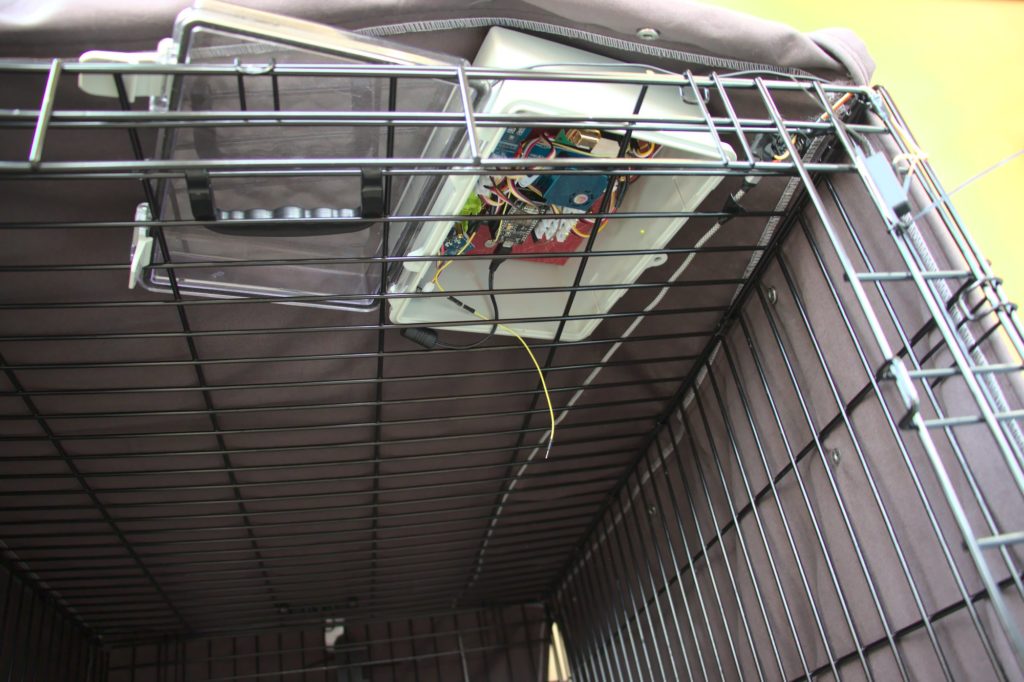
I graphed the readings from the previous day (outside the dog crate) and then inside the dog crate, as indicated with the arrow. As you can see, CO₂ levels did spike quite a bit but did not get above 2000 ppm. For humans, this would be expected to cause drowsiness and complaints about stale air, but would not be harmful.
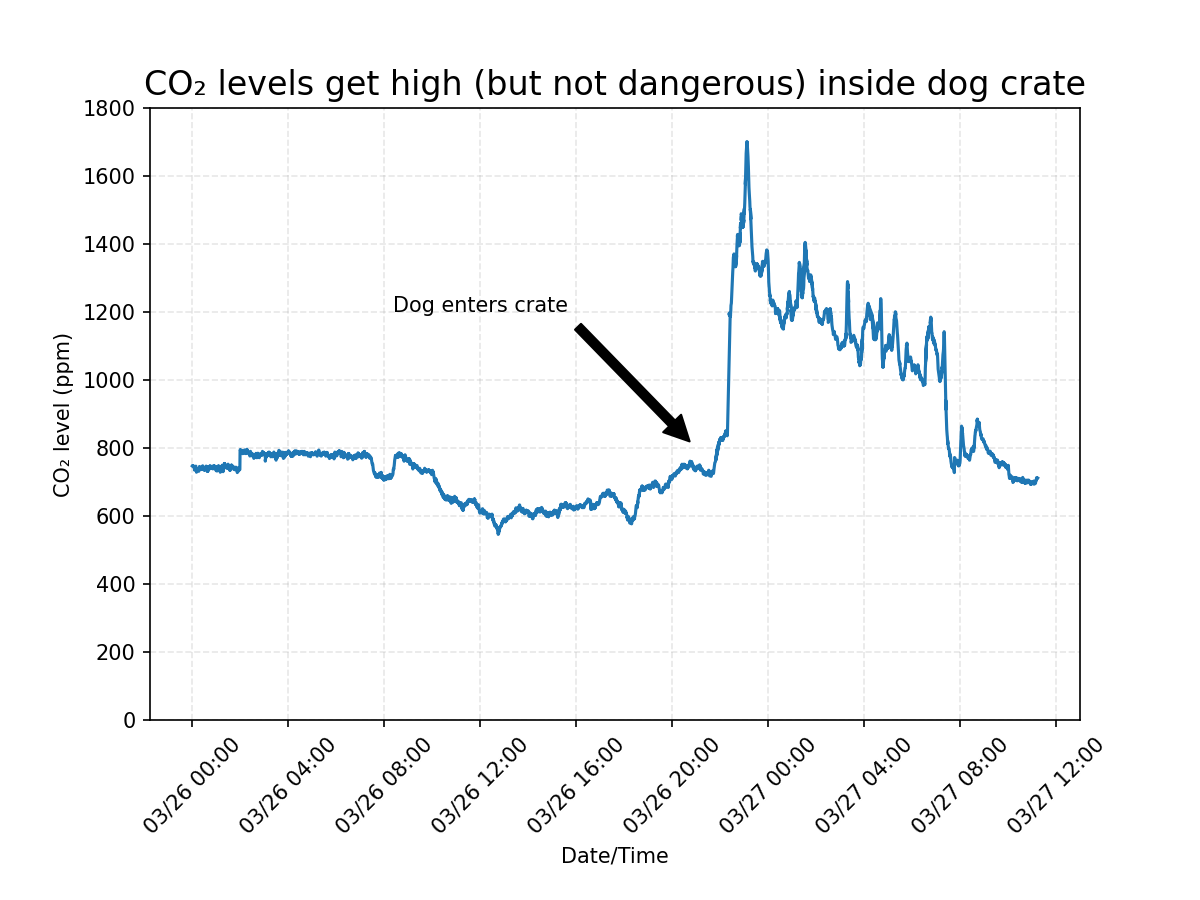
So in conclusion, a mostly-covered dog crate isn’t deadly, but may be unconformable. I will be opening the back panel at least. I’m a little worried that if the cover was placed so that there were fewer gaps, it could get much higher.
Since the product is no longer sold on Amazon, I am left with putting this product review here. I got a bunch of GE smart toggle switches back in 2016 and installed them in various smarthome builds. Then, just yesterday (2021-03-14), I was (ironically?) installing a different smart switch on the same circuit. I turned the breaker on and off a handful of times while installing/testing the new one. And then I heard a clicking. Click… click…click… click… click… like a metronome with 1 second delay. It was the GE 12727 smart toggle from 2016. It was just clicking and clicking and clicking. At first I thought for sure the new switch was interfering with it somehow so I disconnected it and the clicking continued.
I guess a 5-year life isn’t terrible, and that one of the issues of going all in on home automation is that complexity generally leads to lower reliability. I can handle replacing the ones in my home, temporarily with the OG dumb switches and then with new upgrades (I’ve been using Inovelli switches recently based in Michigan what what!, which have cool extra features). It’s a lot more problematic when something like this happens at my mom’s house and she has to like call an electrician.
Apparently people have found that this can be fixed by changing out a capacitor.
And here’s a video of a similar fix. I’ll try it out and report back.
Today I accomplished my big summer goal of paddleboarding from Lake Union in Seattle to the Puget Sound and back. This is my story.
I’ve seen kayaks go through the locks but never paddleboards. Upon looking into it, I was able to confirm that paddleboards are not allowed in the Chittenden (Ballard) locks. So I got out a map to look for ways around the locks. I found a little street end park at 28th Ave NW and figured one of the various public shores to the north would have beach access. I was hoping it would be the first few, but they are on pretty significant bluffs. So I found that the best re-launch spot is a full 0.7 miles down the road, at the NW 57th St. beach.

The wind forecast for today was really calm and that’s what I had been waiting for. This kind of journey would be too hard for me if I had to fight strong winds in one direction or the other. I left around 8:30am.


I’ve always wanted a weather/air quality station. So I built one. Here it is.
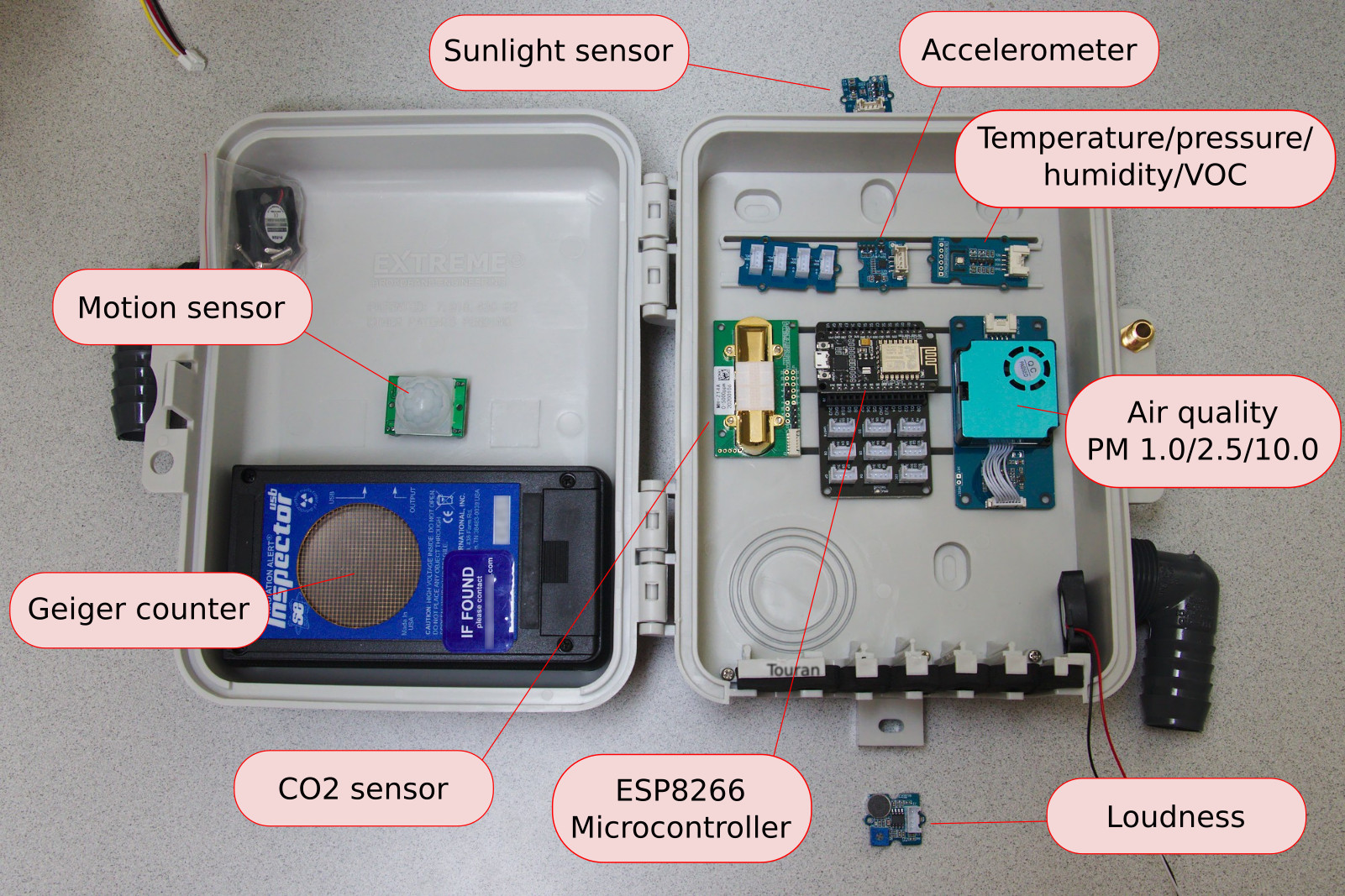
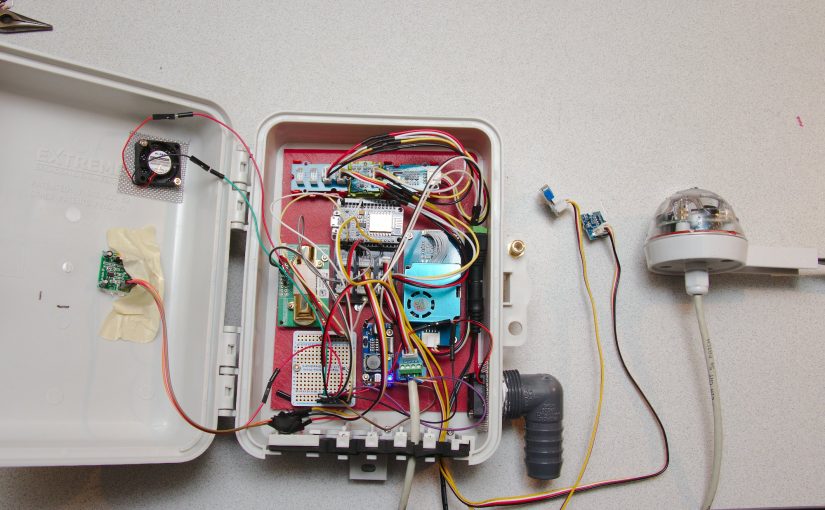
I’ll basically detect whatever I can get. Here’s the parts list so far (expected to expand):
As you can maybe see, I got most of these sensors with I2C interfaces from Grove, which has a really nice ecosystem with easily-interconnectable sensors. This is my first experience with the Grove ecosystem, and I love it. Very clean. Note, however, that I2C is not good for off-board sensors (so maybe not a great choice for the sunlight sensor which should be placed higher up).
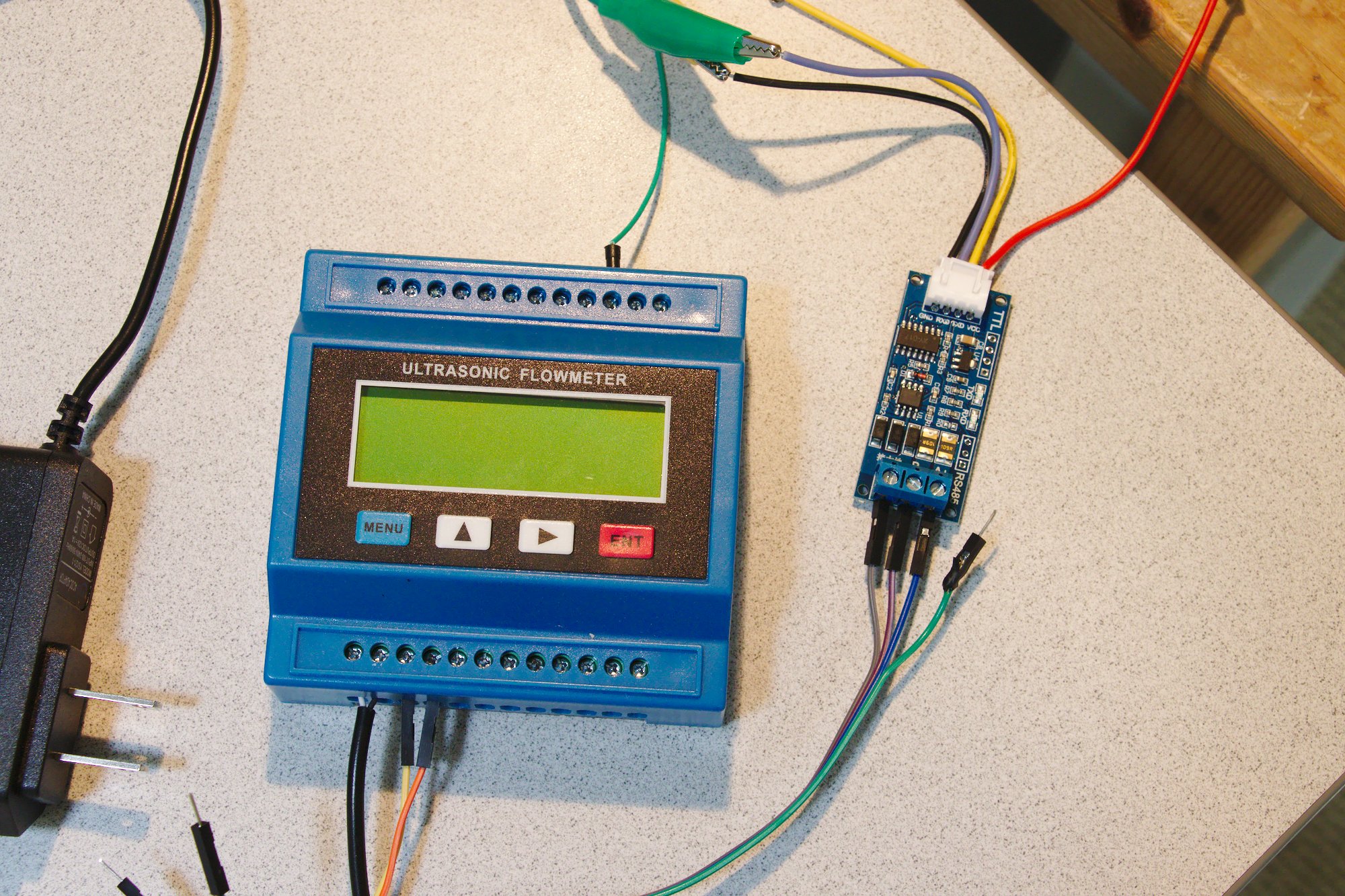
Continue reading Weather and air quality monitoring station with ESP8266 and Home AssistantI had a flood in the garage the other day and realized how great of an investment my flood sensor had been, saving me literally weeks of time and thousands of dollars in repairs. As I considered buying more flood sensors to cover more parts of the house, the thought to put a flow meter on the main water inlet to the house popped into my mind. It’s not quite as clear of a signal as a flood sensor, but if I detect flow when everyone is asleep or when on vacation, I can be sure that something is going wrong and have Home Assistant give me an alert.
I didn’t want to cut into my water main and put a in-line flow meter in, so when I saw a reasonably priced clamp-on ultrasonic flow meter called the TUF-2000M, I had to bite.
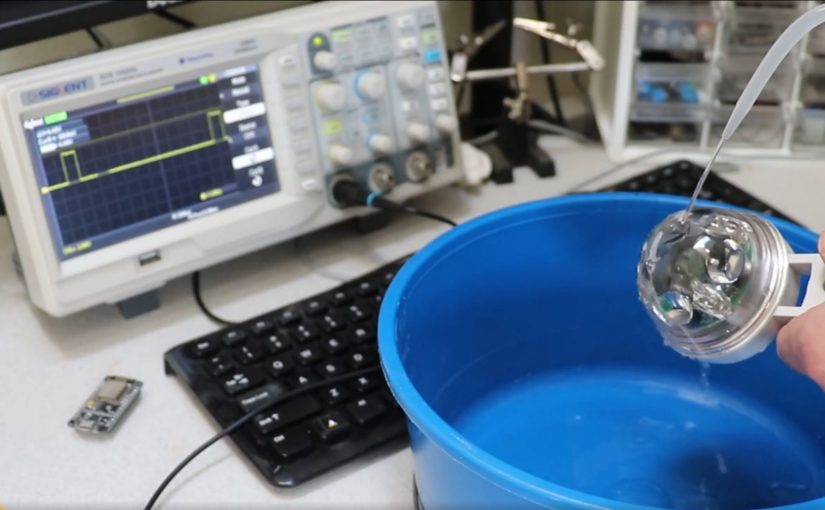
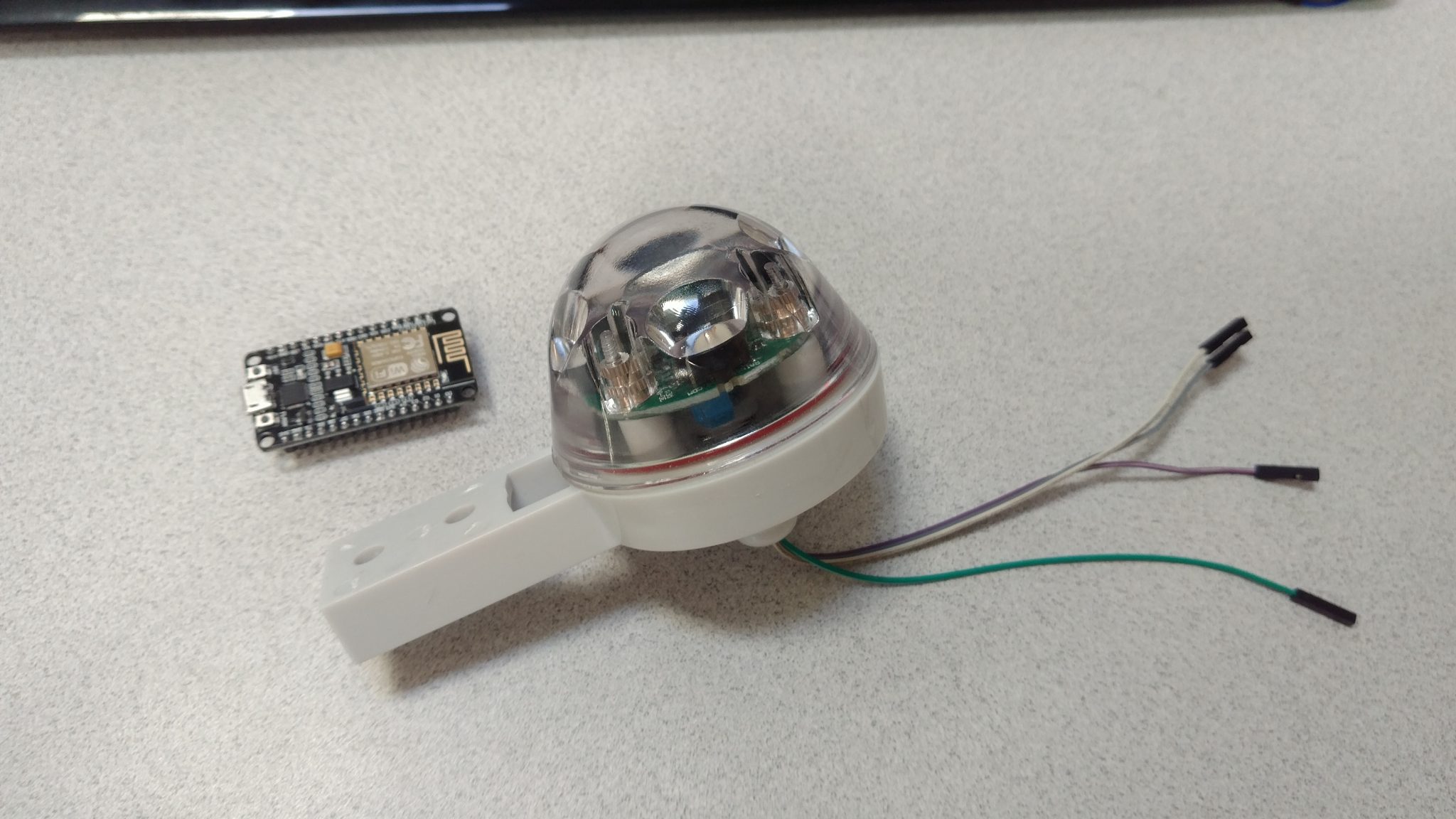
I’ve been working on a home-brew weather station and was looking into rain sensors when I discovered that you can get infrared (IR) rain detectors. A company in Minnesota sells one called the Hydreon RG-11. They shoot pulses of IR light around a plastic dome and monitor them on the other end. When rain hits the dome, the refraction changes and the pulses received are perturbed. This is nice because it’s very simple and has no moving parts. I figured I’d be able to find a way to read it into my weather station.
I had a bad experience with push-to-connect pipe fittings between my hot water heater and my hydronic heating system and wanted to share with you what happened.
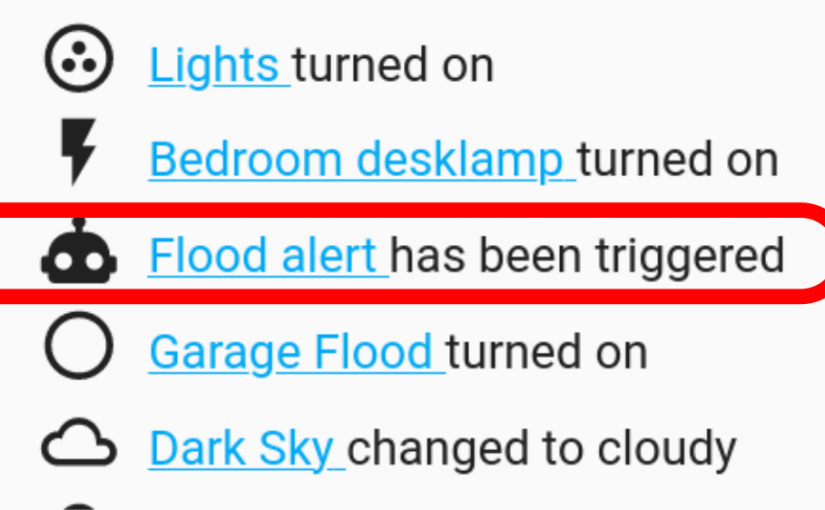
On Saturday morning at 4:19 am I was fast asleep. But then I jolted awake as the bedroom lights flashed on and a slightly robotic voice proclaimed:
“FLOOD ALERT! FLOOD ALERT. IN THE GARAGE! FLOOD!”
“Huh!”, I thought. “I wonder why that thing is going off?”
Continue reading Don’t use push-to-connect (“sharkbite-style”) fittings on high-temperature hydronic heating systemsI decided to purchase System 76’s new Lemur Pro 14″ laptop when it was announced and wanted to show it to you and give you a review.


Some friend of a friend was over a few months ago (before the quarantine) and saw my Galileo Thermometer and explained to everyone how he thought it worked. He was wrong. So I figured, ok the world needs a better explanation of how these these things work. So I made this video.
The force balance on each float is gravity down, buoyancy up. The mass and volume (and therefore the density) of each float does not change as a function of temperature. The density of the clear surrounding fluid does go down with temperature. Because of this, the mass of clear fluid displaced does go down with temperature, and so the buoyant force does decrease as it heats up. When the upward force decreases, the floats drop down as gravity takes over.
To prove it, I made this video where you can clearly see the clear fluid rising as the thermometer heats up.
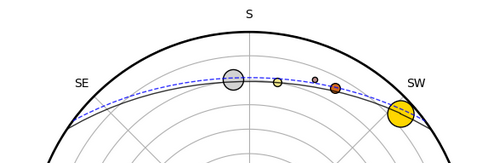
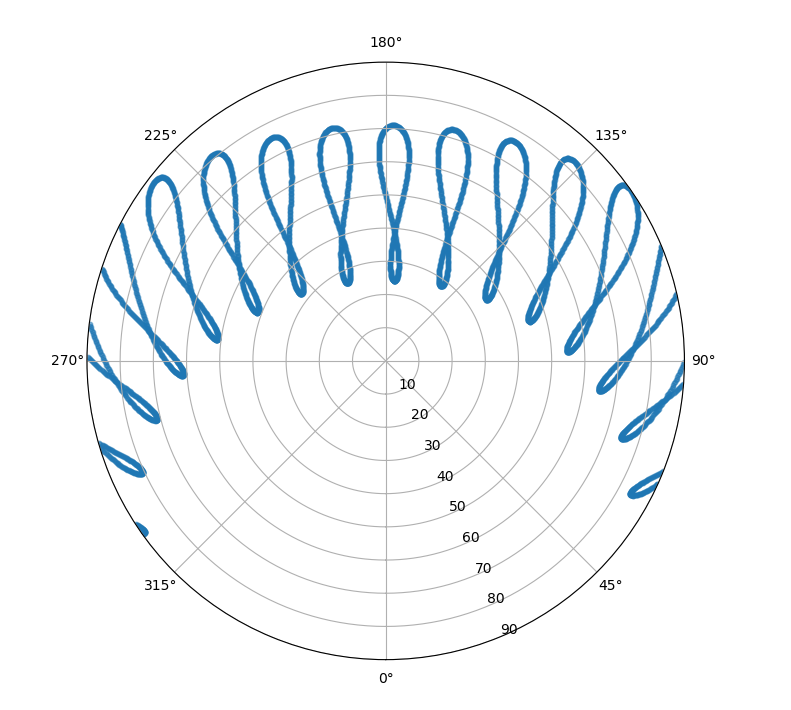
I happened upon a polar sun path chart a while back and really thought it was a great graphic. It shows where the sun goes each day as a function of the seasons. Behold:
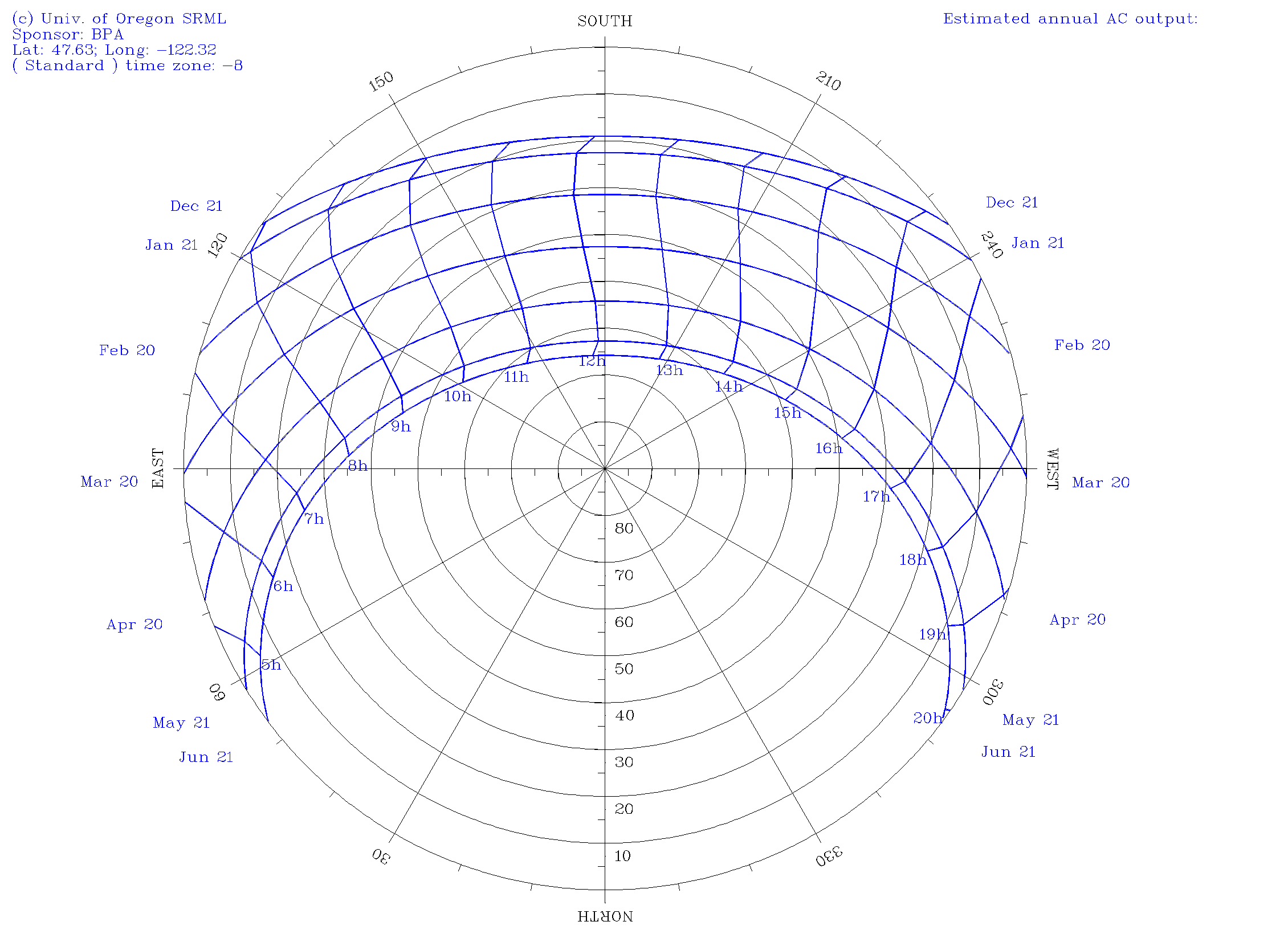
For Seattle, you can see at the top that the sun rises in the SE, peaks at 20° above the horizon, and then sets at 4:30pm on the winter solstice. Ugh. But in the summer, it’s up from before 4am to after 8pm, and peaks above 60° . You can make one of these plots for your area over at the University of Oregon’s Solar Radiation Monitoring Lab.
I liked this plot so much that I wanted to take it to the next level and see where the sun is live. In my experience with Python, I’ve grown to expect there to be sweet libraries that can compute stuff like that. Sure enough, there are a few. First, I found pysolar, which is really straightforward, fast, and simple. A few lines of code and I was up and running.
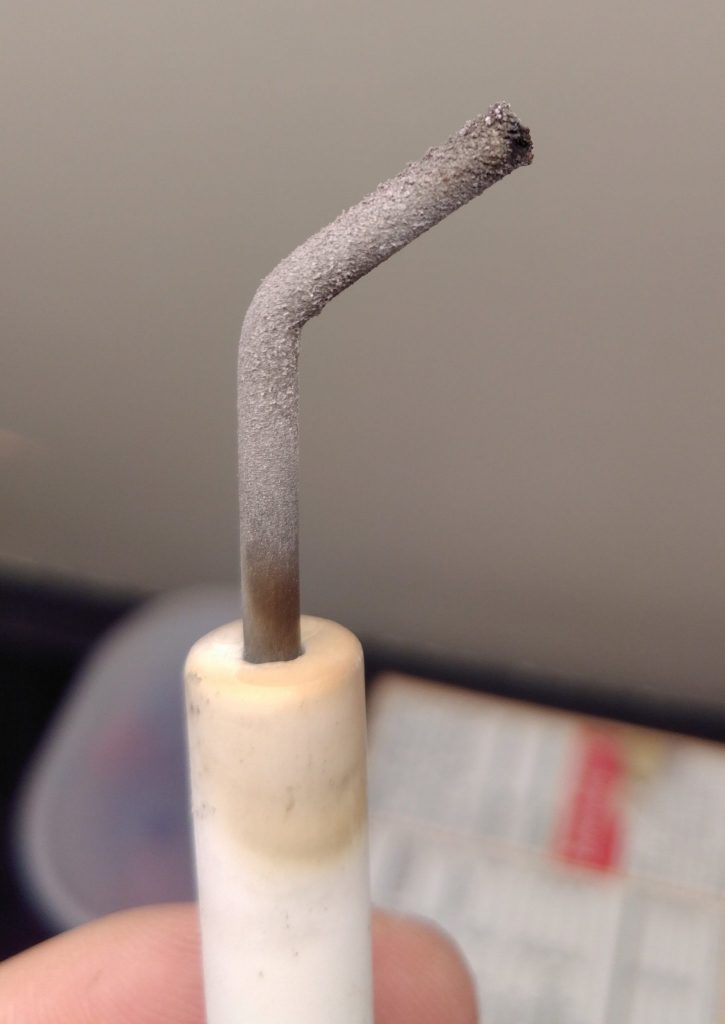
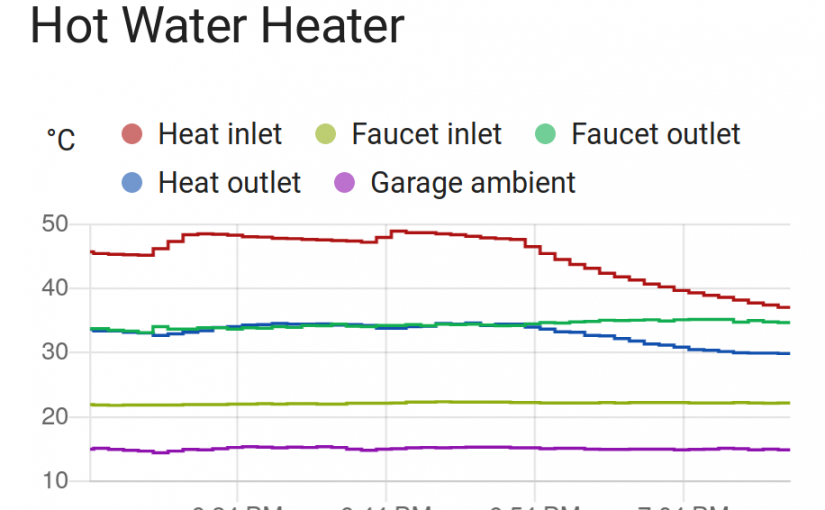
I’ve got one of those hydronic home heating systems where hot water from the hot water heater gets pumped to radiators around the house in addition to heating up water for faucets. A few days ago it died on me and threw an error code indicating something was wrong with ignition. I took a look at the igniter and found that it was full of an oxide layer.
After sandpapering it, it worked great, but I ordered a spare for when this inevitably happens again. Along the way, it occurred to me that it’d be kind of fun to have instrumentation on my hot water heater. I just got it up and running.
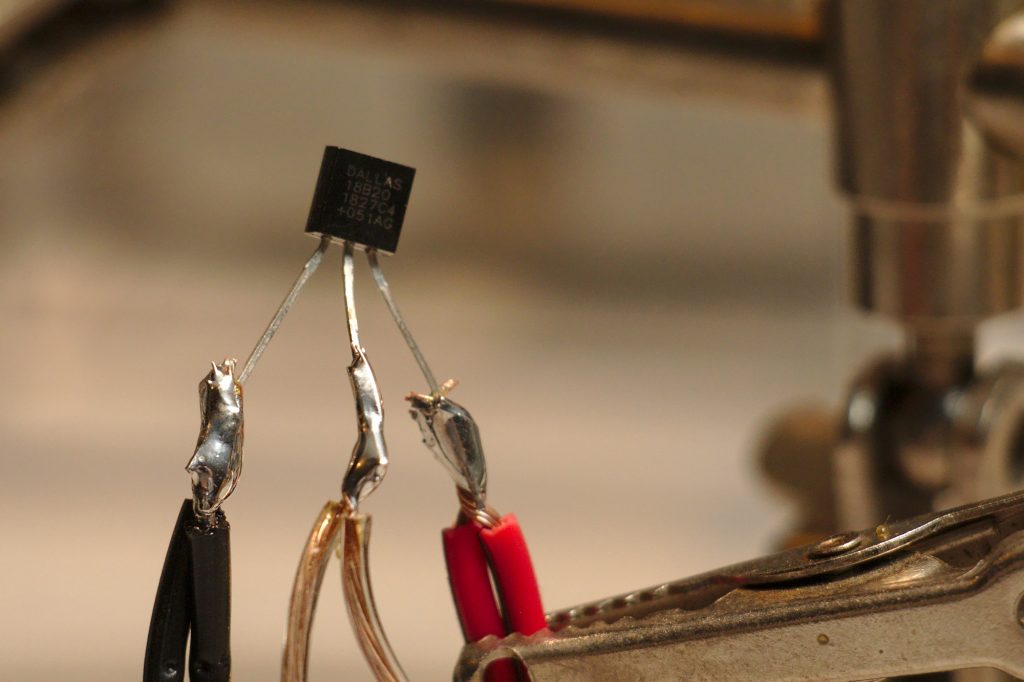
Way back in my first post about hot tubs, I used OneWire sensors called Dallas 18B20s (datasheet) with an Arduino 2009. They worked great at hot water temperature, so I decided to try them out again. This time, rather than using an Arduino, I’m using a ESP8266 microcontroller. These are cheap and have Wi-Fi, so I can easily get the data into my home assistant setup, just like I did with my mom’s furnace, my doorbell, and other stuff.
Step one is to solder a bunch of sensors together. I wanted to get readings on all the different pipes going into and out of my hot water heater. I went down there and measured how much space I’d need between each sensor. Then I soldered them up. Notably 18B20s can work in “parasite mode” with just two wires, but there are problems with parasite mode on ESP8266’s, and in prototype testing I was unable to get that mode to work. So I just wired them up to 3 wires. This tutorial is a good one for wiring up these sensors.
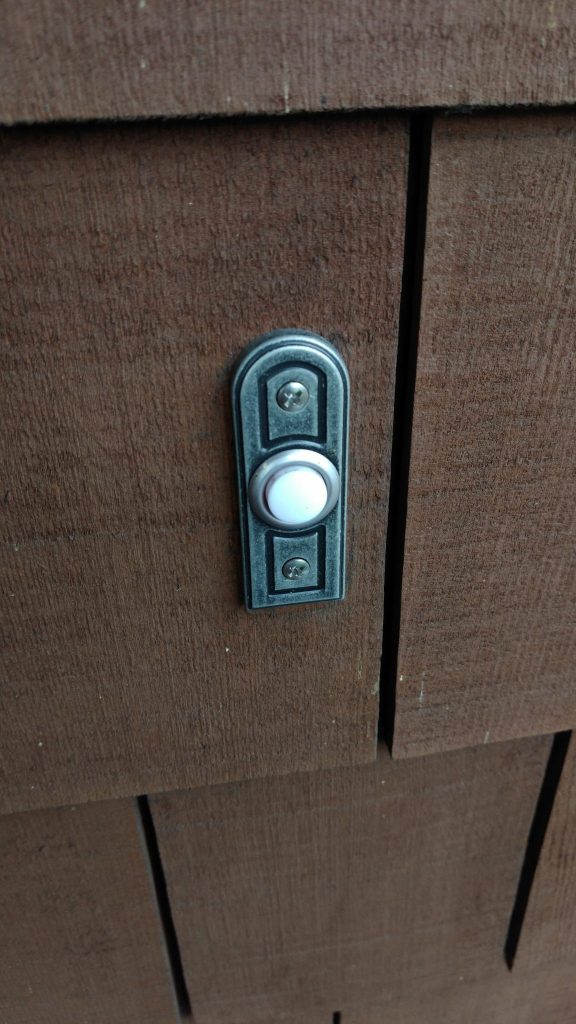
I live in tall and skinny house with a loft on the upper floor. I can’t hear the doorbell going off when I’m up there, especially if I have music playing. This post is about how I extended the range of my doorbell by hooking a sensor up to it that communicates over Wifi to my smart-home, which then plays a doorbell tone over my speakers throughout the house.
I already have a reasonably capable smart home based on Home Assistant, so I challenged myself to do this in the cheapest, least intrusive way possible. In the end, I did this with a $7 part and without changing any of the wiring in my existing doorbell (I just had to connect 2 extra wires to the existing transformer).
Here’s a preview of it working:
A teaching fellow at the University of Michigan once asked me if I could provide some career advice to her nuclear engineering students. I started off with basic industry knowledge but soon came upon computers. When hiring people onto a computational physics team, I always expect a certain level of computer-savvy. But it occurred to me that it’s probably challenging for a young student to catch up on all the classic computer goodies. So I wrote a book about them.

Digital Superpowers hit the shelves of Amazon as an e-book tonight. It covers a bunch of open-source tools in an informal and broad tour, starting simple and building from there. It covers a few computer basics and introduces you to package managers before delving into short and sweet hands-on follow-alongs (and sometimes just drive-bys) with virtual machines, regular expressions, pdf toolkit, TOR, GnuPG encryption, LaTeX, Sphinx, pandoc, graphviz, Imagemagick, GIMP, Inkscape, darktable, Blender, Openshot, Audacity, LMMS, Hydrogen, Mixxx, git, Python, Django, Home Assistant, ESP8266s, Raspberry Pis, and self-hosting (among others).
Try it out and let me know what you think.
It’s that spooky time of year again, but this time it can be extra spooky with the help of home automation.
One classic spooky thing to do is have a TV do something scary when people walk by. This is easier than ever on any TV now that everyone has Raspberry Pi with HDMI output and z-wave (or other) motion sensors everywhere. Check this out:
Continue reading Some fun or spooky Halloween automations with Home Assistant