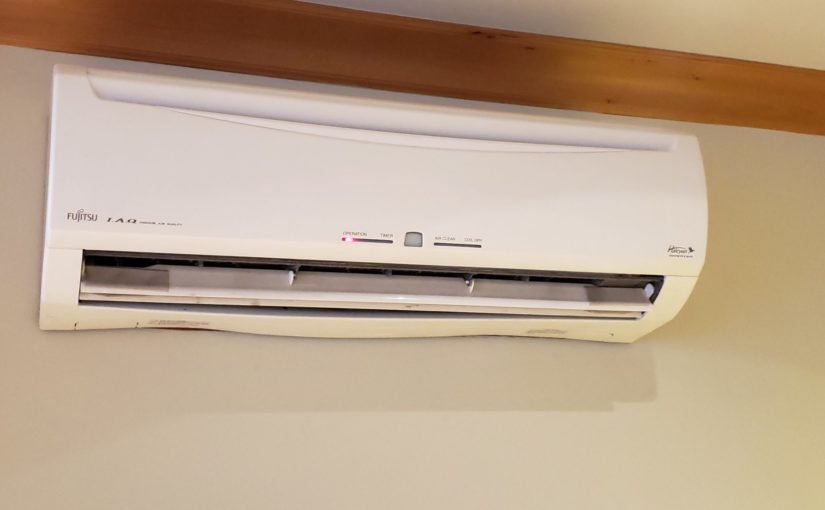
I have some of those mini-split Fujitsu heat pumps in my house that have infrared (IR) remote controls. This post explains how I set up my smart house to be able to automate the heat and air conditioning with a raspberry pi and Home Assistant.
In a past residence, I had done something similar with a portable floor-unit A/C, and that post really is a prerequisite to this one. See: Adding IR send and receive capabilities to my home-assistant based smart home
Given that exact IR LED setup (the receive circuit is not necessary), I had to find the lirc configuration for the air conditioner. This time, one already existed. I loaded up the config from that repo into my /etc/lirc/lirc.config.d/ directory and renamed it to fujitsu.conf and restarted the lirc daemon.
Then I tested it out while pointing the IR led at the wall unit:
irsend send_once fujitsu_heat_ac heat-high-70F
“Beep beep!” Nice. It totally works.
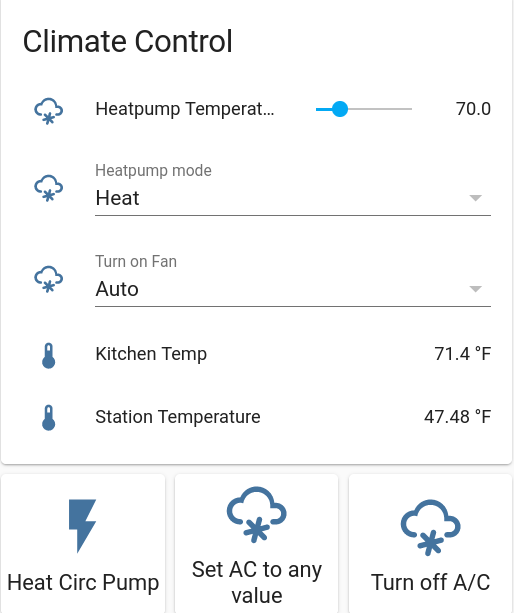
So then I hopped into Home Assistant configuration and made some input_selects and an input slider to specify the operation mode, fan mode, and target temperature:
input_number:
  ac_temperature:
    name: Heatpump Temperature
    initial: 68
    min: 64
    max: 88
    step: 2

input_select:
  heatpump_fan:
    name: Turn on Fan
    options:
     - Auto
     - Quiet
     - Low
     - Medium
     - High
    initial: Medium
    icon: mdi:weather-snowy
  heatpump_mode:
    name: Heatpump mode
    options:
     - Cool
     - Heat
     - Dry
     - Fan
    initial: Heat
    icon: mdi:weather-snowy
Then we need some templated shell commands to package up the values of the input selects/sliders and send them off to the raspberry pi and then to lirc.
shell_command:
  ac_on: ssh pi@pi3 irsend SEND_ONCE fujitsu_heat_ac cool-on
  ac_off: ssh pi@pi3 irsend SEND_ONCE fujitsu_heat_ac turn-off
  set_ac_to_slider: 'ssh pi@pi3 irsend SEND_ONCE fujitsu_heat_ac {{states.input_select.heatpump_mode.state|lower}}-{{states.input_select.heatpump_fan.state|lower}}-{{states.input_number.ac_temperature.state|int}}F'
  set_ac_fan: 'ssh pi@pi3 irsend SEND_ONCE fujitsu_heat_ac fan-{{states.input_select.heatpump_fan.state|lower}}-64F'
And then I just added those new entities to Lovelace using the GUI, as shown at the top of the post.
Finally I just made sure the LED from the raspberry pi was in a place where it had good line of sight with the unit, and that was that!
I’ll add some automations to turn the temperature up and down at night later on, but so far I’m pretty happy with this.
It is great to see this post. I have a similar-looking unit, a Fujitsu ASYG09KMCDN. I’ll try a Broadlink RM4 Pro IR unit with it, because as of 2025.12 the newer models (RM 5 and RM MAX) do not yet have HomeAssistant support.