The built-in backup camera in a Grand Highlander shows the ground pretty well but doesn’t show things up higher. This can be a problem backing up e.g. in a short parking garage with lots of ventilation hanging down. Also, front/rear dashcams are a necessity in the modern world, and for some reason, some new cars don’t seem to come with recording capabilities. So I needed to install a clip-over rearview mirror cam.
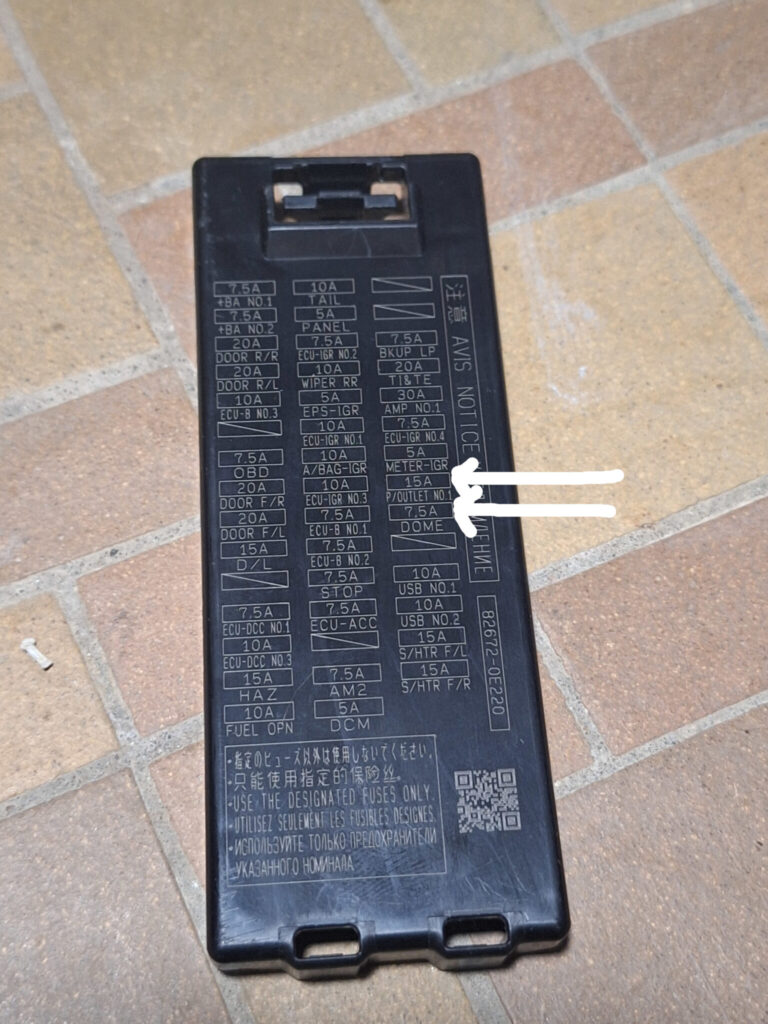
I got the hard-wire kit and plugged ACC into the P/OUTLET NO.1 15A fuse and plugged BAT into the DOME fuse (both located side by side in the fuse box just above the brake pedal).
Running the wires was mostly standard, but FYI the A-pillar trim cover to the left of the dashboard is a huge pain to reconnect unless you know the trick. You have to:
- reach in there and squeeze the little tabs on both sides of the green connectors with your fingers and/or a little screwdriver
- pop them out from the car frame
- feed the extra plastic back through the connector on the trim side
- reconnect the connector to the trim side
- THEN push the trim back onto the car frame
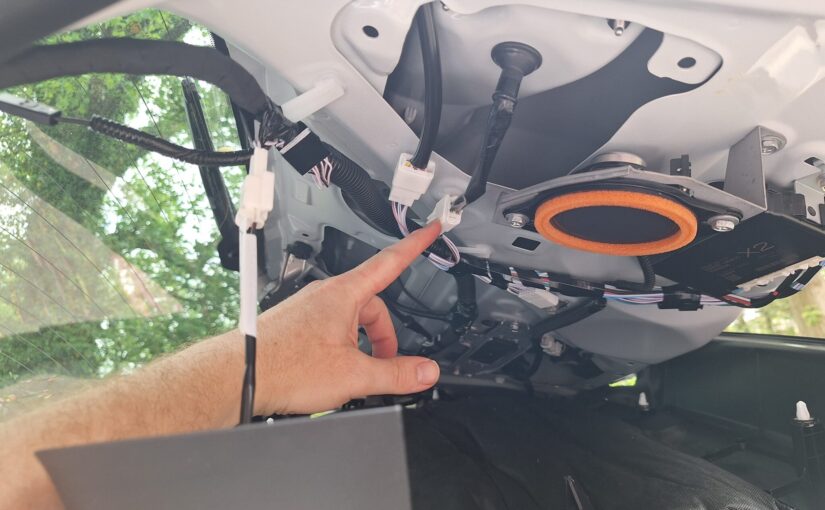
For the rear cam, hooking up the wire that senses when you’re in reverse by tapping into the backup lights took me a long time. In the end I went right to the source, just behind the lights themselves on the rear door. I suppose there are other places to tap into this but this is where I ended up. The red wire (bottom right in the connector when viewed through this photo) is the hot one that goes to +12V when the rear lights are on.
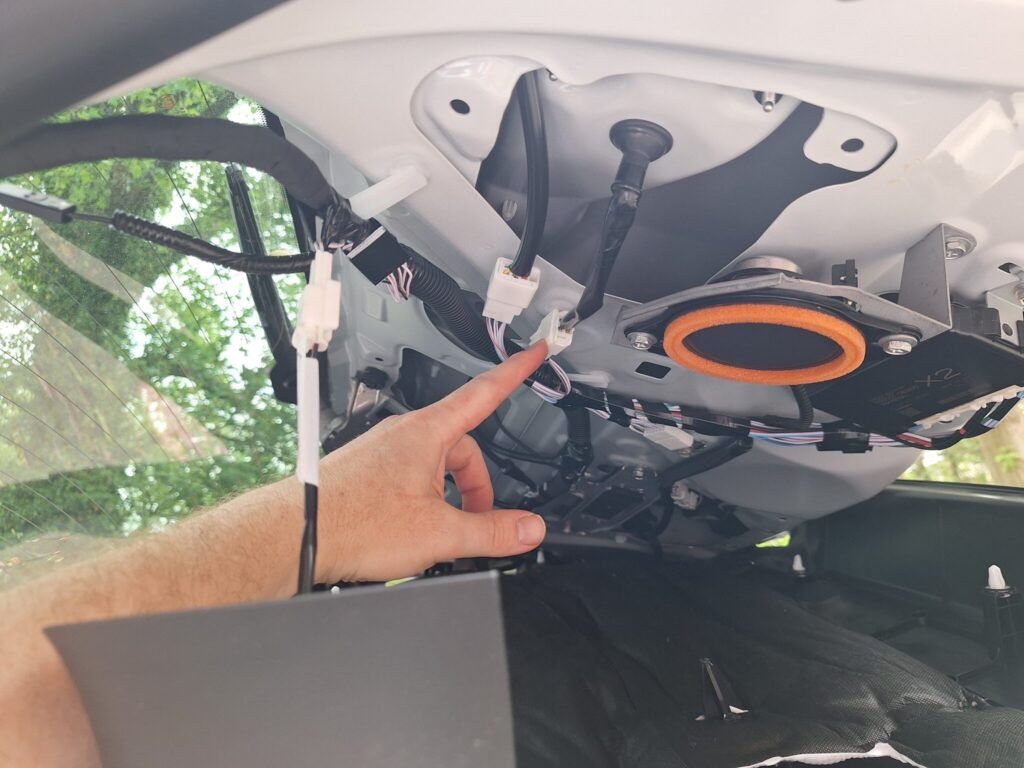
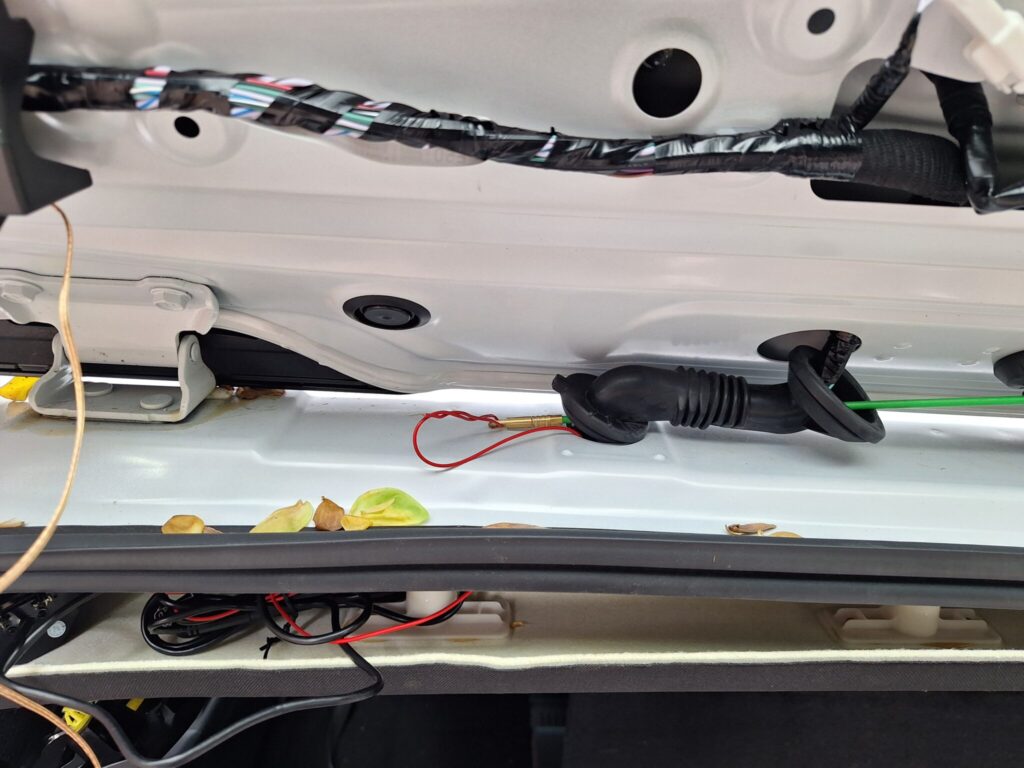
I was able to pull the sensing wire through the rubber grommet using my wire fishing kit to have a relatively clean look.
It took me embarrassingly long to do all this in the end, having dug around in the trunk looking for other places to get that sensing wire hooked up. So hence the post. Good luck.
BTW this guy’s youtube video was the most helpful throughout the process.