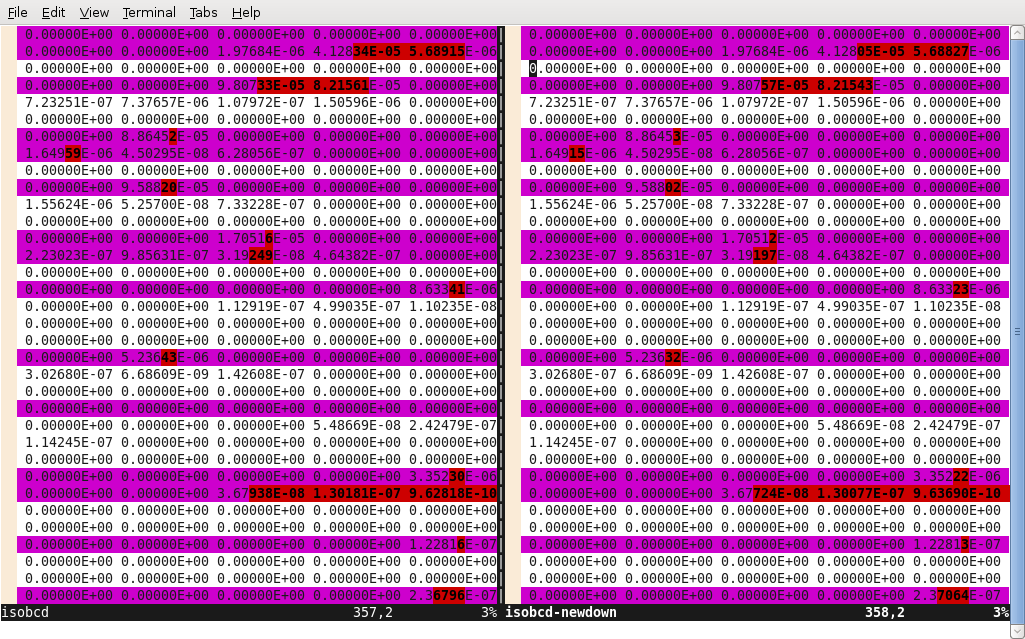
I thought the search engines were lacking in this topic that I have some experience in, so I figured I better do my part. I have installed MC**2-2 on a windows computer and on a linux computer using similar methods. The XS libraries I obtained differed from the results from my SPARC machine in the later decimal places, and global calculations were nearly identical. I haven’t tested all features, but it seems to work. I’ve also been running DIF3D 8.0 on my Ubuntu machine through a very ridiculous method. It runs in windows under Cygwin nicely.
MC**2-2 on a modern computer
MC**2 is a nice lattice physics code mostly used for fast reactors. It uses ENDF-V data and has excellent treatment of the unresolved resonances and stuff. According to my friends at Argonne National Lab, MC**2-3 is coming out soon, and it will compile easily on PCs. That’ll be nice, and it will make this discussion irrelevant. It’s going through verification right now. Anyway, until then, here’s the general idea. Get VMWare server and install Solaris 10 for i386 on it. This comes with the f77 compiler that MC**2 can actually use. Once you have that all installed, go in there and extract the MC**2 source. Edit the mcc.f file. Make these code changes:
- on line 12029 change REAL*16 to REAL*8. x86 architectures don’t support quad precision
- on lines 32858 and 32859, do the same.
- starting on line 32900, uncomment the lines with DEXP and DLOC and comment out QLOG and DLOG for a total of 4 changes ( 2 uncomments, 2 comments).
- Same on line 32937, but only one swap this time.
- Add an extra space before the text on line 44534. This is some error in the RSICC distribution.
I’ve done this on Solaris 10 with great success, and now I’m trying it out on OpenSolaris, on my new external hard drive. I had to give it 1GB of RAM or it was crazy slow. OK it works in opensolaris too. Here are the steps:
- gunzip and untar p350tar1.gz
- edit exec_compile.mcc.sun script and change the lib and jobdir variables to where ever.
- make the code changes to mcc.f as discussed
- run a copy of the script with the uncompress and copies commented out so it doesn’t overwrite your changes (I did this a few times)
I had to turn optimization in the script from O3 to O2, or else I got a core dump on compiling mcc. f. If all goes well, you should have the MC2 executable.
Now you have to make the libraries. The code to convert libraries needs similar code changes. Change All REAL*16 s to REAL*8, the QLOG to DLOG, and the QEXP to DEXP. It will compile now. I added the cwd to my path and the script ran nicely. Notice that when you change the code, you can’t just re-run the script as is because it uncompresses the original files each time. I made a copy of the script and commented out all the uncompresses after running it the 1st time.
My last pitfall was that there was a write-protected ISOTXS file in the directory I was trying to run in and MC2 dumped the core on execution. I deleted this file and reran with wonderful success.
I witnessed one of the guys who lead the development team of Windows 3.1 try to compile MC**2 once with the intel ifort compiler. He got it compiled, but it failed at runtime with memory allocation errors. That’s the story of my life.
DIF3D8 on a modern PC
DIF3D 8.0 compiles with G95. I followed instructions I found here to do it. I did run into a problem, however, with memory allocation when running on Linux. In Windows XP, under Cygwin, the instructions work perfectly. I am able to run in Linux by using the Cygwin-compiled executable through WINE. This is, conceptually, extremely ridiculous as it is using an emulator to run a program which is emulating the platform that I’m on. Go figure. The bottom line is that it works and it runs quite quickly — moreso than on the ancient solaris machines I used to run on. I think it should be quite easy to get it working natively on linux using G95 with a little effort, so let me know if you figure it out.
Cross section libraries
When transfering XS libraries from one machine to another, it is important to do so in ASCII, or BCD (binary coded decimal) mode. When I run MC**2, I get a binary ISOTXS file that will not transfer nicely to other computers. I use a utility to convert this to ISOBCD, which I then convert back to ISOTXS on the computer I’d like to run on.